Trust Nothing, Verify Everything
Traditional network security operates on a simple principle: everything inside the corporate network is trusted, everything outside is not. Build a strong perimeter, firewalls, VPNs, intrusion detection, and you are safe. This model worked when all staff, devices, and data were inside a physical office. It does not work when staff work from home, data lives in the cloud, and personal devices access business systems.
Zero Trust replaces the perimeter model with a straightforward rule: never trust, always verify. Every access request is authenticated and authorised regardless of where it comes from.
Zero Trust Is Not a Product
Zero Trust is a security strategy, not a single product you can purchase. Vendors will try to sell you “zero trust solutions”, but implementing Zero Trust is about changing how your organisation approaches access control across identity, devices, applications, data, and network. It is a framework applied through your existing and future technology investments.
The Core Principles
Verify explicitly: Every access request is authenticated based on all available data: identity, device health, location, service being accessed, and data classification. A valid username and password is not enough. MFA, device compliance, and conditional access policies all contribute to the verification decision.
Least privilege access: Users get only the access they need for their role, and only for the time they need it. No more “everyone is an admin” or “give them access to everything just in case.” Privileged roles use just-in-time access that expires automatically.
Assume breach: Design your security as if attackers are already inside your network. Segment access so that compromising one account or device does not give access to everything. Monitor continuously for anomalous behaviour. Minimise the blast radius of any single compromise.
What This Looks Like for an SME
Zero Trust sounds like an enterprise concept, but many of its principles are practical and affordable for SMEs using Microsoft 365.
Identity: MFA on all accounts. Conditional access policies that restrict sign-in based on device compliance, location, and risk level. Disable legacy authentication protocols that cannot support MFA.
Devices: Manage devices with Microsoft Intune. Require encryption, current operating systems, and endpoint protection before granting access to company resources. Block access from unmanaged or non-compliant devices.
Applications: Control which applications users can access and from where. Restrict third-party app consent. Use app protection policies to prevent data leakage from managed apps to personal apps.
Data: Classify sensitive data with sensitivity labels. Apply DLP policies to prevent inappropriate sharing. Encrypt sensitive documents so they remain protected even if they leave your environment.
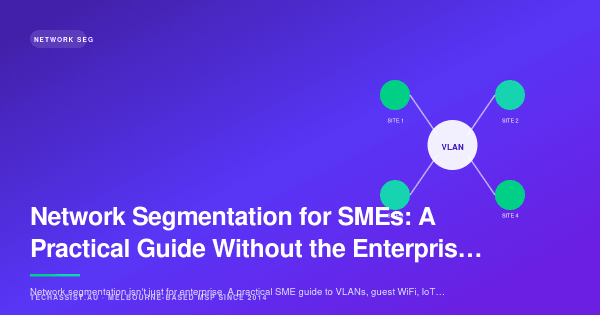
Network: Segment your network so that IoT devices, guest Wi-Fi, and corporate systems are on separate VLANs. Use micro-segmentation where possible to limit lateral movement.
Starting the Journey
You do not need to implement everything at once. Zero Trust is a maturity journey. Most SMEs should start with MFA and conditional access (the highest-impact, lowest-effort change), then move to device compliance and management, then implement data classification and DLP, then review network segmentation and application controls.
Each step reduces your attack surface and moves you closer to a Zero Trust posture.
The Business Case
Zero Trust reduces the impact of the most common attack vectors: compromised credentials, unmanaged devices, and lateral movement after initial access. For businesses handling sensitive data or subject to compliance requirements, it provides a defensible security posture that auditors and regulators expect.
Get Started
Zero Trust is not all or nothing. Every step improves your security. Contact TechAssist to assess your current posture and build a practical Zero Trust roadmap for your business.