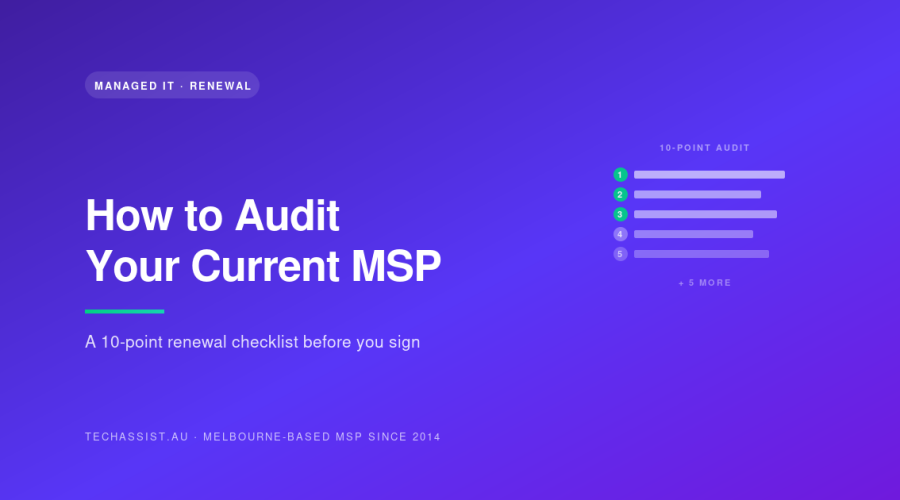
To audit your MSP before renewal, pull twelve months of ticket data, your asset register, every invoice, and your security baseline. Then test the provider against ten measurable points: SLA compliance, resolution times, security posture, licence usage, documentation, after-hours performance, strategic input, escalation, project scope, and communication quality. The gaps tell you whether to re-sign.
Most Melbourne SMEs renew their managed IT contract on autopilot. The invoice arrives, someone signs it, and another three years tick over. That’s how businesses end up paying for fifty Microsoft 365 licences when they have thirty-eight staff, or discover their “24/7 support” means a voicemail box until 8am.
This is a checklist you can run yourself before you put pen to paper on a renewal, or before you go to market. It applies to any provider, including us. If your current MSP can’t survive this audit, the renewal conversation should be a difficult one.
Why a pre-renewal audit matters
MSP contracts in Australia typically run two to three years. Over that time, staff numbers shift, software stacks change, security expectations rise, and the original scope drifts. The provider you signed with in 2023 isn’t necessarily the same operation in 2026: engineers leave, tooling changes, and the founder who sold you the contract may not even be answering tickets anymore.
An audit gives you leverage. If you walk into renewal negotiations with twelve months of ticket data, a count of unused licences, and a list of unmet SLAs, you’re not arguing on vibes. You’re arguing on numbers. That changes the price, the scope, and often the provider.
We’ve done second-opinion audits for businesses in Hawthorn, Box Hill, and Dandenong South where the existing MSP had been billing for services they weren’t delivering for years. Nobody was being malicious: it’s just that nobody had checked.
Before you start: what to gather
You’ll need:
- The last 12 months of ticket exports (CSV from the MSP’s PSA: ConnectWise, Autotask, HaloPSA, Halo, whatever they run)
- Every invoice for the past 12 months, including any project or out-of-scope work
- The current Master Services Agreement and any Statements of Work
- The agreed SLA document
- Your current asset register (from the MSP)
- Your Microsoft 365 / Google Workspace admin centre access
- Any documentation the MSP has provided (network diagrams, runbooks, password vault structure)
If your MSP refuses to hand over ticket data or the asset register, that’s the first red flag, and probably the only audit point you need. The data is yours. They’re contracted to maintain it on your behalf.
The 10-point audit checklist
1. Pull real ticket data and check the numbers
What to pull: A CSV export of every ticket logged in the last 12 months, with fields for date opened, date closed, priority, category, time-to-first-response, time-to-resolution, and engineer assigned.
What to look for: Total ticket volume per user per month (a healthy environment runs 0.5 to 1.5 tickets per user per month: anything higher suggests unresolved root causes), category distribution (if 40% of tickets are password resets, you’ve got a self-service problem), and engineer concentration (are 80% of your tickets handled by one person who could leave tomorrow?).
Red flags: Ticket volume trending up over the year, repeat tickets on the same machine or user, tickets closed without resolution notes, or a single engineer carrying the entire account. Also watch for tickets being closed and immediately reopened, that’s a metrics game, not a fix.
2. Test SLA compliance against the contract
What to pull: Your signed SLA and the same 12 months of ticket data, filtered by priority.
What to look for: Calculate the percentage of P1, P2, P3 and P4 tickets that met the contracted response and resolution targets. If your contract says “P1 response within 15 minutes” and 30% of P1s took an hour, you have a breach pattern, not an exception.
Red flags: SLA compliance below 95% on any tier. Vague SLA definitions like “best efforts” or “as soon as practical”, those aren’t SLAs, they’re hedges. For reference, our standard P1 response sits under 15 minutes from our NOC with 24/7 on-call and emergency support in Tecoma, with the SLA structure and credit terms documented on our pricing page. If your provider can’t show you a written SLA with credits attached, that’s a deeper problem.
3. Audit the asset register against your invoices
What to pull: The MSP’s asset register (every endpoint, server, switch, firewall, and licensed user) and your monthly invoices.
What to look for: Reconcile the number of billed devices and users against what’s actually deployed. If you’re paying per-device or per-user, you should be able to name every line item. We’ve seen Melbourne businesses paying for laptops that left with employees in 2022.
Red flags: Billed count exceeds physical count. Devices on the register that haven’t reported in for 90+ days (either decommissioned or unmanaged: both are problems). No documented onboarding/offboarding process for assets. Read our breakdown of how Australian MSPs structure billing for the trade-offs between per-user and per-device models.
4. Check security posture against current standards
What to pull: The Essential Eight maturity assessment (if your MSP has done one), your last vulnerability scan, MFA coverage report from Microsoft 365 or Google Workspace, endpoint detection coverage report, and patching compliance numbers.
What to look for: MFA on 100% of accounts (not 95%, the unprotected accounts are where attackers go). Endpoint protection deployed on every device including BYOD where applicable. Patching cycles documented with compliance rates above 95% for critical patches within 14 days. Privileged access reviewed quarterly.
Red flags: No documented Essential Eight position. No regular vulnerability scanning. Legacy protocols still enabled (SMBv1, basic auth on Exchange Online, NTLMv1). Local admin rights handed out to end users. An MSP that can’t tell you the security posture of your environment in concrete terms isn’t doing the work.
5. Audit licence usage versus licence cost
What to pull: Microsoft 365 admin centre user list (or Google Workspace equivalent), every other software subscription on the invoice (security tooling, backup, RMM), and a current staff list from HR.
What to look for: Unassigned licences, licences assigned to former staff, users on Business Premium who only need Business Standard, users on E3 who’d be fine on Business Premium. Backup licences for machines that no longer exist. We routinely find 10 to 20% of licence spend is dead weight.
Red flags: The MSP can’t produce a clean licence-to-user map. They’re billing you for licences they’re buying through their own CSP at a markup you can’t see. They’ve never proactively suggested a downgrade, only upgrades. This is one of the areas covered in detail in our piece on hidden costs Melbourne MSPs don’t disclose.
6. Review documentation completeness
What to pull: Every document the MSP holds about your environment: network diagrams, server inventory, application list, vendor contacts, line-of-business app runbooks, disaster recovery plan, password vault structure, and the offboarding playbook.
What to look for: A non-engineer should be able to follow the network diagram. The DR plan should specify RPO, RTO, and the exact steps to recover. Application runbooks should cover the quirks, the printer driver that needs a specific install order, the legacy app that breaks on Windows 11 24H2.
Red flags: Documentation last updated more than six months ago. Critical knowledge held in one engineer’s head. No documented DR plan or a plan that’s never been tested. If your MSP can’t hand you a portable, useful documentation pack, you don’t own your environment: they do. That’s a problem when you switch.
7. Check after-hours response performance
What to pull: Ticket data filtered for tickets logged outside 8am to 6pm Monday to Friday, plus any after-hours phone records.
What to look for: Average response time for P1s logged at 2am. Whether a real engineer picked up or whether tickets sat until the next business day. Whether your contract specifies 24/7 coverage or only business hours.
Red flags: “24/7 support” that’s actually a triage line forwarded to an offshore call centre with no escalation authority. Long after-hours response times for outages that hit your operations. Our NOC runs 24/7 from Tecoma with the same 13 Australian engineers who handle daytime work, the model isn’t universal, so check what you’re actually getting.
8. Evaluate strategic input (the vCIO function)
What to pull: Meeting minutes or technical business reviews (TBRs) from the past 12 months, the current 3-year IT roadmap, and the budget forecast document.
What to look for: Quarterly business reviews with documented outcomes. A roadmap that ties IT to business goals (expansion, new sites, compliance requirements). Budget forecasts with capex and opex split out. Evidence the MSP is thinking about your business, not just closing tickets.
Red flags: No TBRs in the past year. No roadmap. The only strategic input is “you should buy more of what we sell.” If you’re paying a managed services fee and you’ve never had a strategy conversation, you’re paying for a help desk dressed up as a partnership.
9. Review project work scope creep
What to pull: Every Statement of Work or project quote from the past 24 months alongside the original signed scope.
What to look for: Projects that ballooned past the original quote. Recurring “small projects” that should have been included in the managed service fee (firewall firmware updates, mailbox migrations within the existing tenant, basic group policy changes). Whether the MSP is upselling projects to compensate for thin managed services margins.
Red flags: The total cost of “projects” exceeds 30% of the annual managed services spend. The same project type recurs (Microsoft 365 “optimisation” every six months, that should be ongoing, not a project). Hourly rates on projects that weren’t disclosed at contract signing. Compare your structure against the co-managed, fully managed, and internal IT models to see whether you’re paying twice for the same coverage.
10. Evaluate cultural fit and communication quality
What to pull: Sit down with three people in your business, someone in finance, someone in operations, and your most-frustrated end user.
What to look for: Do they know who to call? Do they get a human, or a ticket form? Do engineers turn up on site when needed, or is everything remote? Do you trust the team? Have engineers stayed across multiple years, or is there churn?
Red flags: Different engineer every ticket, no continuity. Account manager you’ve never met. Communication that comes across as scripted or defensive when issues are raised. An MSP that won’t show you their engineer retention numbers.
A concrete example: how this plays out
A 42-staff professional services firm in Camberwell ran this audit before their renewal last year. Their MSP had been quoting a 6% price increase. Here’s what the audit found:
| Audit point | Finding | Annual impact |
|---|---|---|
| Licence usage | 7 Microsoft 365 Business Premium licences assigned to former staff | $2,016 overspend |
| Asset register | 11 devices billed that hadn’t checked in for 6+ months | $3,300 overspend |
| SLA compliance | P2 resolution SLA met 71% of the time (contract said 95%) | SLA credits owed under contract |
| Project scope creep | $28,000 in projects that contract scope said were included | $28,000 overspend |
| Strategic input | Zero TBRs in 18 months despite the contract specifying quarterly | Breach of contract |
They didn’t switch immediately: they put the findings to their MSP and renegotiated. Final outcome: 18% reduction in monthly fee, project work re-scoped into the managed contract, and quarterly TBRs reinstated. The audit took about two days of internal effort. The savings were $40K+ in year one.
Not every audit ends with a renegotiation. Sometimes the data is clean and the provider’s doing a good job. That’s a useful result too, you re-sign with confidence rather than out of inertia.
What to do with the findings
If the audit is clean: re-sign, but lock in the SLA credits and TBR cadence in writing. Don’t accept verbal promises.
If the audit shows fixable issues: book a meeting with the MSP, walk through the findings, and ask for a remediation plan with deadlines. Good providers will own the gaps and propose fixes. The reaction tells you whether the relationship is worth continuing.
If the audit shows systemic issues, missing documentation, security gaps, SLA breaches across the board, go to market. Issue an RFP to two or three providers and let the incumbent compete. Our team handles transitions like this regularly; the process is laid out in our managed IT services overview.
How TechAssist would look under this audit
We wrote this checklist knowing it’d be applied to us as well. For the record: we operate from Tecoma with a NOC with 24/7 on-call and emergency support, 13 Australian engineers on staff, 15-minute average P1 response as standard, per-user fixed monthly fee with no surprise project margins on in-scope work, quarterly TBRs built into every managed contract, and full documentation handover at any point on request. We’ve been doing this since 2014.
None of that means we’re the right fit for every Melbourne SME: we’re not. But the audit is the right way to figure out whether any MSP, us included, is doing what you’re paying them for.
If you want a second-opinion audit run by an MSP that isn’t your current one, give us a call on 1300 028 324 or drop us a line through the contact page. We’ll walk through the ten points with you, no charge for the initial conversation. If the result is that your current provider passes, great, re-sign and get on with running your business.
Frequently asked questions
How long does an MSP audit take?
Two to five working days of internal effort depending on the size of the environment. The data-gathering phase is the slow part: once you have the ticket exports, licence reports, and asset register, the analysis is a day or two for a 30 to 80 staff business.
Should I tell my current MSP I’m auditing them?
Yes. Frame it as renewal due diligence, most providers do this as standard for their own clients and will cooperate. If they push back on handing over ticket data, asset registers, or documentation, that itself is a finding. The data belongs to you under any reasonable contract.
What if I don’t have the technical skills to interpret the data?
Bring in a third party: either a tech-literate board member, an internal IT lead at another business you trust, or a competing MSP offering a second-opinion audit. Most reputable Melbourne MSPs will do an initial review at no charge as part of a sales conversation. Just be aware they have a commercial interest in the result.
How often should I audit my MSP?
A full audit at every renewal (every two to three years). A lightweight check, licence reconciliation, SLA compliance, ticket volume trends, every six months. If your business goes through significant change (acquisition, new site, headcount jump), audit at that point too.
What’s the difference between an audit and a vCIO review?
A vCIO review is forward-looking: it’s about strategy, roadmap, and budget. An audit is backward-looking, it’s about whether the past 12 months of service matched the contract. You need both, and they shouldn’t be done by the same provider if you want them to be honest.