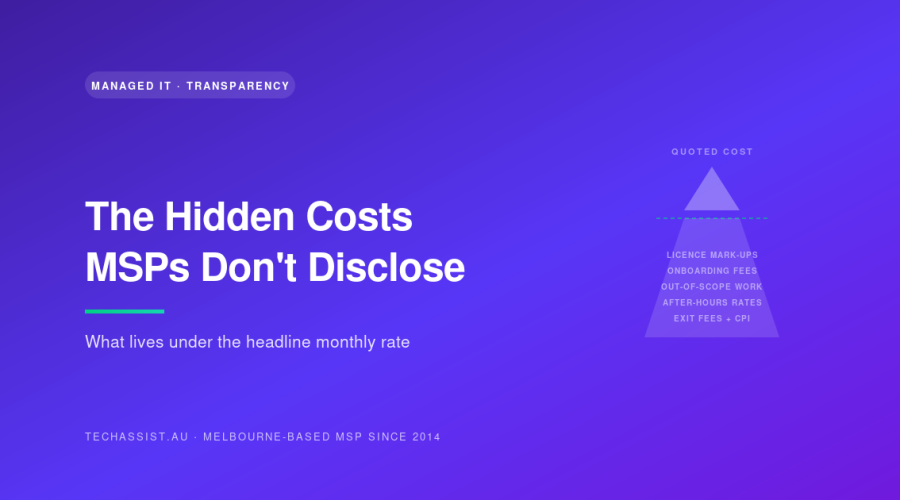
The headline rate on an MSP proposal is almost never what you’ll actually pay. MSP hidden costs live in licence mark-ups, post-signature onboarding fees, “out of scope” project work, after-hours rate ceilings, pass-through services dressed as “managed”, auto-renewal traps, under-spec’d hardware, and annual price ratchets.
If you’re a Melbourne SME owner sitting on a stack of proposals, or six months into a contract wondering why the actual invoice is 30-40% above quote, this is the breakdown nobody on the sales side wants to give you. I’ve spent years on the engineering side of Melbourne MSPs and I’ve audited contracts where clients in places like Dandenong, Box Hill and Footscray were paying far more than they thought they’d signed up for. The mechanics are repeatable. So is the fix.
Why MSP quotes look cleaner than they really are
The competitive pressure in the Melbourne MSP market pushes sales teams to present the lowest possible “per user per month” number on the front page. That number has to clear two hurdles: it has to beat the incumbent, and it has to beat the next quote on your desk. Everything that doesn’t fit inside that headline gets pushed into schedules, addenda, “professional services” line items, and the licensing reseller agreement.
None of this is necessarily dodgy on its own. Some of it is structurally unavoidable: Microsoft, for instance, doesn’t let MSPs lock in NCE pricing for the term of your MSP contract, so any honest provider has to reserve some right to pass through changes. The problem is when the disclosure is buried, the mechanism isn’t explained, and you only find out when the invoice arrives.
For a parallel angle on what your provider should be willing to show you about the actual tools they’re using, see our piece on Melbourne MSP stack transparency. This post stays in the money lane.
The eight hidden costs to interrogate before you sign
1. Microsoft 365 and software licence mark-ups
This is the big one. Most Melbourne MSPs resell Microsoft 365, Adobe, security tooling, and backup licences through CSP (Cloud Solution Provider) agreements. The mark-up varies wildly, we’ve seen anywhere from RRP at the low end to 25% over RRP at the aggressive end. On a 40-seat Business Premium tenancy, that 25% mark-up is roughly $1,300 per month, or $15,600 a year, on top of your “managed services” fee.
The mechanism: CSP partners buy from Microsoft at a partner price, then set their own retail price. There’s no obligation to disclose the margin. Some providers won’t even tell you the per-seat figure they’re charging until they send the first invoice.
What to ask: “What’s your mark-up over Microsoft’s published partner pricing on Business Premium, Business Standard, and E3? Will you put that mark-up in writing, capped at X%, for the term of the contract?”
How to negotiate it out: Either move licences onto your own tenancy and Microsoft direct billing (your MSP can still manage them via delegated access), or cap the mark-up contractually at 10-15% with annual review tied to Microsoft’s own NCE price changes: nothing else.
2. Onboarding and transition fees that appear post-signature
The proposal says “smooth transition included”. The Master Services Agreement says “transition services billable at $220/hr ex GST, scope to be defined post-contract execution”. Guess which one wins.
Onboarding for a 30-50 seat business: agent deployment, documentation, knowledge transfer from the outgoing provider, baseline hardening, monitoring setup, typically takes 40-80 hours. At hidden hourly rates, you’re looking at $8,800 to $17,600 in unexpected fees.
What to ask: “What’s the fixed-price onboarding fee, and what specifically does it include and exclude? If onboarding runs over, who absorbs the overrun?”
3. “Out of scope” project work gotchas
Read the inclusions schedule carefully. “Managed services” almost never includes: server migrations, M365 tenant migrations, new site setups, major firmware upgrades, restructures, M&A integrations, or anything that involves more than minor configuration changes. All of that becomes “project work” billed at $180-$240/hr.
The trap is that the line between BAU and project work is drawn by your MSP, not you. We’ve audited proposals where adding a new user with a non-standard application install was deemed project work. A logistics business in Dandenong we audited last year was paying 38% above their quoted monthly because half of what they considered routine, onboarding new drivers, new mobile devices, Power BI report tweaks, was being billed as project work at $210/hr.
What to ask: “Give me ten specific examples of changes you’d treat as out-of-scope. What’s the threshold: hours, complexity, or category?”
4. After-hours and weekend rate ceilings
The contract probably says “24/7 support included” somewhere. Read closer: it usually means 24/7 P1 incident response only. Anything that’s not a Priority 1 outage, most things, gets billed at after-hours rates outside business hours. Standard practice is 1.5x to 2x weekday rate after 6pm, 2x on Saturdays, 2.5x on Sundays and public holidays.
If your business runs a Saturday roster or weekend operations (retail, hospitality, logistics, healthcare), this matters a lot. A “free” SLA-covered ticket on Tuesday becomes a $440 invoice on Sunday.
What to ask: “What’s the after-hours multiplier, and does it apply to remote work as well as on-site? What’s the minimum billable increment after-hours: 15 minutes, 30, or one hour minimum?”
5. “Managed” services that are pass-through-with-margin
Watch for “managed backup”, “managed email security”, “managed firewall” line items that turn out to be a third-party SaaS product (Datto, Mimecast, Barracuda, etc.) with a margin stuck on top and minimal actual management. The “management” component is often just the MSP receiving the alerts, which they may or may not action.
The signal: ask what the underlying product is. If your MSP refuses to tell you, that’s the answer. If they tell you, check the retail price and compare. A 60-80% mark-up on a pass-through SaaS product is not unusual.
What to ask: “What’s the underlying product, what’s your mark-up, and what specifically does the ‘managed’ wrapper include beyond receiving alerts?”
6. Auto-renewal, early-termination, and scope-lock clauses
The expensive contract clauses, in order of how often they bite:
- Auto-renewal with long notice periods. 90-day written notice on a 36-month contract is common. Miss the window by a week and you’re locked in for another 12-36 months.
- Early termination fees. Sometimes a percentage of remaining contract value, sometimes a flat “transition fee”, sometimes both. We’ve seen exit fees of $25,000-$40,000 on mid-sized contracts.
- Scope-lock clauses. Language that says removing services or reducing seat counts mid-term either isn’t allowed or triggers a price recalculation on the remaining services (which, surprise, makes them more expensive).
- Data extraction fees. A charge to give you back your own documentation, scripts, and configuration data at the end of the contract.
What to ask: “What’s the notice period? Can I downsize mid-term without penalty? What’s the cost to exit early, and what’s the cost to extract documentation and admin handover at end of term?”
7. Under-spec’d hardware on managed-device plans
“Hardware as a service” or managed-device plans bundle a laptop or desktop, M365 licence, and management for one monthly figure. The seat looks cheap. Then you find out the spec is an entry-level i3 with 8GB RAM and 256GB storage on a 36-month term. Three years on a machine that’s already struggling at month six.
Upgrades mid-term are either not allowed, or they reset the term, or they cost an upfront uplift. The “cheap” seat costs you in productivity, support tickets, and replacement timing.
What to ask: “Show me the exact spec sheet of the hardware included at each price tier. What’s the refresh schedule? Can I bring my own devices and reduce the monthly?”
8. The “annual pricing review” one-way ratchet
Almost every MSP contract includes a clause permitting an annual price review. In practice this is a one-way ratchet: prices go up, never down, regardless of whether your seat count drops, your service usage drops, or Microsoft’s NCE pricing actually decreases (which it occasionally does).
Typical clauses cite “CPI” or “underlying supplier increases” without defining either precisely. CPI in Australia has been 3-7% over the last few years. Compound a 5% increase over a 5-year contract and you’re paying 28% more in year five for the same service.
What to ask: “Cap the annual increase at CPI or 4%, whichever is lower. Define which CPI series (All Groups, weighted average, eight capital cities). Require pricing reductions to be passed through if Microsoft NCE pricing falls.”
The cost mechanism at a glance
| Hidden cost | Typical impact on annual spend | Where it lives in the contract | Negotiation lever |
|---|---|---|---|
| M365 licence mark-up | 10-25% of licence spend | CSP reseller agreement / invoice | Cap mark-up in MSA; or own the tenancy |
| Onboarding fees | $8k-$18k one-off | Schedule B / Professional Services | Fixed-price onboarding with defined scope |
| “Out of scope” project work | 15-40% above headline monthly | Inclusions schedule (exclusions list) | Define ten BAU examples in writing |
| After-hours rate multiplier | $500-$5k per incident | Rate card schedule | Negotiate cap or quarterly true-up |
| Pass-through “managed” SaaS | 40-80% over retail product price | Inclusions table | Demand product name + mark-up disclosure |
| Auto-renewal trap | Lock-in for another full term | MSA, near the signature block | 30-day rolling notice or 60-day fixed |
| Early termination / exit fees | $25k-$40k+ | MSA termination clause | Strike or cap at 2 months of fees |
| Under-spec’d hardware | Productivity loss + upgrade uplift | Hardware schedule | Specify minimum spec; allow BYO |
| Annual price review ratchet | 4-7% compounding per year | Pricing clause in MSA | Cap at lesser of CPI or 4%; two-way |
How to read a proposal in 20 minutes
Most MSP proposals are 8-15 pages. The pricing page is usually pages 2-3. The expensive truth is in the last third: schedules, exclusions, and the Master Services Agreement (which is often a separate document referenced by URL or attached as an appendix). If the MSA isn’t included with the proposal, that’s signal one. Ask for it before any pricing conversation.
A 20-minute pass that flushes out most of the issues above:
- Read the inclusions table. Then read the exclusions schedule twice. The exclusions schedule is the real product.
- Find the rate card. Note all rates: standard, after-hours, weekend, public holiday, on-site, project. Note minimum billable increments.
- Find the licensing section. Ask for the per-seat figure on every SKU, and the equivalent Microsoft direct retail price. Calculate the mark-up.
- Read the MSA termination clause first, renewal clause second, pricing clause third.
- Find the onboarding scope. If it says “to be determined post-signature” or “as required”, strike it and ask for fixed-price scope.
- Ask what the underlying product is for every “managed” service.
If the proposal won’t survive that pass, the engagement won’t survive 18 months. For an honest comparison of the three dominant pricing models in this market, per-user, per-device, and fixed-fee, see our breakdown of how Australian MSPs structure their billing. If you’re a mid-market business with internal IT and you’re considering a hybrid arrangement, the co-managed IT pricing guide for Australian SMEs covers a model that handles a lot of the project-creep problem structurally.
How TechAssist handles this: for context
We’ve been doing managed IT in Melbourne since 2014. Our approach to most of the points above:
- Fixed per-user monthly with no surprise hourly billing. Project work is quoted up front against a defined scope; BAU includes adds, moves, changes, and most things that other providers push into project work. Our pricing and SLA page spells out what’s in and what isn’t.
- Licence mark-ups disclosed. We’ll tell you our CSP margin in writing. If you’d rather own the tenancy and direct-bill Microsoft, we’ll manage it via delegated access at no change to our fee.
- 15-minute average P1 response, NOC with 24/7 on-call and emergency support in Tecoma. Our 13 Melbourne-employed staff, no offshore handoff, cover P1 incidents around the clock without after-hours surcharges for SLA-covered work.
- No auto-renewal traps. 60-day notice, no early-termination penalty after month 12, full data and documentation handover included.
This isn’t a sales pitch: it’s a checklist. Apply the same standard to whoever you’re considering. If their answers are vague, that’s the answer.
Frequently asked questions
What’s the realistic gap between a Melbourne MSP’s quoted monthly and the actual invoice?
For most engagements we’ve audited, the gap sits between 15% and 40% above the quoted headline figure once project work, after-hours, licence mark-ups, and ad-hoc additions are included. Below 15% suggests either tight scoping or a fixed-fee provider. Above 40% almost always means project-work creep or an aggressive licence margin.
Can I negotiate licence mark-ups out after I’ve already signed?
Sometimes. Mid-contract licence transparency is harder to extract than pre-signature, but most providers will negotiate at the annual review point, especially if you’ve genuinely been pricing the alternative (Microsoft direct, or another CSP). Have the Microsoft NCE pricing schedule in hand when you ask.
Is “out of scope project work” always a rip-off?
No: genuine projects (migrations, major refresh, M&A integrations) are reasonably billed separately because they’re predictable, scoped pieces of work. The problem is when routine business-as-usual changes are pushed into project work to lift the monthly take. The test: if it happens more than twice a year as part of normal operations, it should be BAU.
What’s a fair early-termination clause?
For a 12-month initial term, a fair clause is: no penalty after month 12, 60-day written notice, no exit fees beyond settling outstanding invoices, and a contractual obligation on the provider to hand over documentation, admin credentials, and configuration data within 14 days at no charge. Anything beyond that is leverage they’ll use if you try to leave.
How often should I re-tender my MSP contract?
Full re-tender every 3-4 years is healthy: long enough to get the relationship value, short enough that you’re not locked into a stale price. A pricing benchmark exercise annually (no formal RFP, just two quotes for comparison) keeps the incumbent honest at review time.
If you want a second set of eyes on your proposal
We’ll review a proposal you’ve received from another MSP and tell you what we’d interrogate before you sign. No charge, no obligation, no pitch attached, we’d rather you go in with eyes open than sign something you regret. Reach out via our contact page or call 1300 028 324. If you’d like to see how we structure things instead, the Melbourne managed IT services overview is the place to start.
For numbers nobody hides, read our full managed IT pricing guide.