Week 1 of a co-managed IT engagement is mostly listening, counting and writing things down. We audit the environment, capture credentials, transfer documentation from your internal IT person, and get a RACI matrix signed. No big changes, no tool rollouts. The goal is a true picture of what you actually have, not what the last vendor said you had.
That paragraph is the short answer. The rest of this piece is the long one, a week-by-week playbook of what the first 30 days of co-managed IT onboarding should look like for a Melbourne SME, what goes wrong, and how to tell whether your new partner is doing it properly or just collecting a monthly fee.
We’ve run this onboarding sequence dozens of times at TechAssist since 2014, mostly for businesses between 30 and 200 staff across Melbourne. The pattern below is what we’ve settled on after enough painful lessons to know which corners can’t be cut. If your engagement is starting next month, print this out and use it as a checklist against whatever your MSP proposes.
What co-managed IT onboarding actually is (and isn’t)
Quick definition so we’re aligned. Co-managed IT means your internal IT person or small team keeps running day-to-day, and an external MSP plugs in to handle specific gaps: usually 24/7 monitoring, after-hours support, escalations, project capacity, and the unsexy compliance and documentation work. It’s not full outsourcing. It’s not staff augmentation. If you’re not sure which model suits you, our co-managed vs managed vs internal IT comparison breaks down the differences in plain terms.
Onboarding is the bridge between signing the contract and the partnership actually working. Done well, it takes four weeks and ends with both teams operating as one. Done badly, it stretches to six months and never really finishes, the MSP is firefighting tickets they don’t understand because nobody documented anything, and your internal lead is quietly furious because they’ve been answering the same questions for ninety days.
The thirty-day target isn’t arbitrary. After 30 days you should be at steady-state: tickets flowing, monitoring green, runbooks written, the first quarterly business review (QBR) scheduled. If you’re not there by day 30, something has gone wrong upstream: usually in week 1.
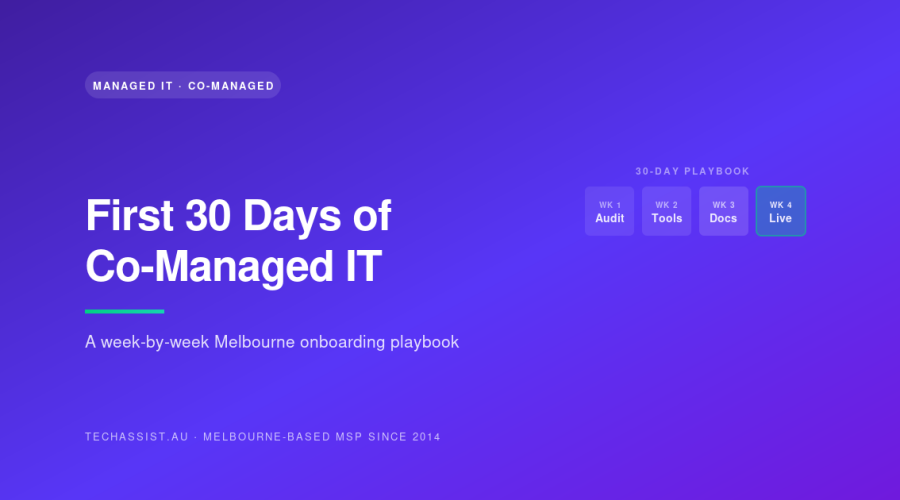
The 30-day playbook at a glance
| Week | Theme | Key deliverables | Who owns it |
|---|---|---|---|
| Week 1 | Discovery and scoping | Environment audit, credential vault, documentation transfer, RACI matrix signed | MSP lead engineer + internal IT manager |
| Week 2 | Tooling rollout | RMM agents deployed, EDR live, backup monitoring connected, NOC enrolled | MSP deployment engineer + internal IT |
| Week 3 | Runbook writing | BAU procedures documented, after-hours playbooks signed, escalation tree published | MSP service delivery manager + internal IT |
| Week 4 | Shakedown and QBR prep | Live ticket testing, failover drill, QBR pack drafted, 90-day plan agreed | MSP account manager + executive sponsor |
That’s the skeleton. Now the meat.
Week 1: Discovery and scoping
The opening week is unglamorous and easy to skip. Don’t skip it. Everything that follows depends on what you find in the first five working days.
The environment audit
On day one we walk the environment with your internal IT lead. Not remotely. In person where possible, even if it’s a half-day in a Hawthorn office. We want to see the comms cabinet, count the switches, photograph the UPS labels, find the cabling that runs through the ceiling void that nobody documented. Remote-only audits miss the patch panel that’s held together with cable ties and hope.
The deliverable from the audit is a written inventory covering:
- Every server (physical and virtual), with OS, role, owner and last-patched date
- Every endpoint count by device class, broken down by warranty status
- Network gear, firewalls, switches, APs, with firmware versions and support contract end dates
- SaaS tenants, Microsoft 365, Google Workspace, line-of-business apps, with licence counts and admin accounts
- Backup targets, retention policies, last verified restore date
- Internet links, static IPs, DNS hosting and where the domain registrar sits
If your MSP doesn’t ask for the last verified restore date, that’s a red flag. Backups that haven’t been tested aren’t backups. They’re hope.
Credentials capture
This is where most onboardings stall. Your internal IT person, let’s call him Dave, has accumulated passwords over four years. Some are in a KeePass vault, some are in his head, some are on a Post-it under his keyboard, and a few belong to a previous employee whose Microsoft 365 account technically still has Global Admin.
The MSP needs everything moved into a shared, audited password vault before week 2. Not Dave’s personal KeePass. A vault both teams can access with role-based permissions and full audit logging. We use a hosted IT documentation platform with credential management built in; your MSP will have their own. The point is shared, audited, encrypted.
Here’s what often goes wrong: Dave doesn’t want to share the passwords. Sometimes it’s protective: he’s worried about his job. Sometimes it’s just years of muscle memory around being the sole custodian. Either way, it has to be addressed by the business owner directly. The MSP can’t force it. We’ve had week 1 stretch to three weeks because a single internal lead wouldn’t hand over the firewall admin password, and the whole project sat there idling.
The fix is a frank conversation, framed around resilience. If Dave gets hit by a tram on the Lygon Street tracks tomorrow, the business needs to keep running. Co-managed IT is the insurance policy, not the replacement.
Documentation transfer
Whatever Dave has, Visio diagrams, OneNote pages, a folder of Word docs called “IT Stuff”, it all gets transferred and reviewed. Most of it will be out of date. That’s fine. We’re not auditing Dave’s documentation hygiene; we’re capturing institutional knowledge before it walks out the door.
Things we look for that are nearly always missing:
- Network diagram showing actual VLAN topology, not the one from 2019
- List of which line-of-business app talks to which database, on which server, on which port
- Vendor contacts with account numbers: internet provider, hardware supplier, line-of-business software vendors
- Recurring scheduled tasks (the script that runs every Sunday night that nobody understands)
- The actual office Wi-Fi password
RACI matrix sign-off
The most important week 1 deliverable, and the one businesses skip most often. A RACI matrix lists every category of work: patching, user onboarding, after-hours P1 response, M365 licence changes, backup verification, project work, vendor liaison: and for each one assigns Responsible, Accountable, Consulted and Informed roles between you and the MSP.
Without it, scope creep starts on day 8. We had a Box Hill manufacturing client where week 2 turned into a “could you just have a look at this” parade because nobody had written down who owned what. Their internal IT lead burned out within six months and we had to renegotiate the agreement. A signed RACI in week 1 would have prevented all of it.
A good RACI is boring. Three pages of “MSP responsible, internal IT consulted” rows. If it’s exciting, something’s wrong.
Week 2: Tooling rollout
With the audit complete and the RACI signed, week 2 is when the MSP’s tooling goes in. This is the visible part of onboarding and the part most clients judge us on. It’s important, but it’s only the middle act.
RMM deployment
Remote Monitoring and Management agents go on every server and endpoint. The deployment itself is straightforward, a GPO push or Intune deployment, depending on your environment. The harder part is the post-deployment tuning. Out of the box, every RMM screams about everything. By end of week 2 it should be tuned to your environment: warnings on the things that actually matter, silence on the things that don’t.
Ask your MSP what their first-week alert volume looks like. If they tell you “five hundred alerts a day, we’ll tune it later”, that’s a tooling team that doesn’t tune. If they tell you “we expect noise for 48 hours then it should drop below 30 actionable alerts a day”, that’s a team that knows what they’re doing.
EDR rollout
Endpoint Detection and Response goes on the same agents. We typically run in monitoring-only mode for the first week, then flip to blocking once we’ve baselined what’s normal in your environment. The Camberwell legal firm we onboarded last spring had a custom internal app that EDR initially flagged as malware. Two days of monitoring told us it was legitimate, we wrote an exclusion, and we never heard from it again. Had we gone straight to blocking on day one, their fee earners would have been locked out of their case management system.
EDR also needs to be connected to a 24/7 monitoring centre. Detection without response is just a noisier RMM. Our NOC at Tecoma watches EDR alerts for every client around the clock, with a 15-minute average response on P1 incidents. If your MSP doesn’t operate (or contract to) a true NOC with 24/7 on-call and emergency support, you don’t have 24/7 cover regardless of what the SLA document says.
Backup monitoring
Your existing backup solution, whatever it is, gets connected to monitoring. We don’t usually rip and replace backup tooling in week 2; that’s a project for month two or three. Week 2 is about visibility. Are jobs running? Are they completing? When was the last successful restore test?
One of our Ringwood clients arrived with backups that had been “running fine” for two years according to their previous vendor. First week of monitoring revealed three of seven jobs had been silently failing since the previous Christmas. The vendor had been ignoring the alert emails. This is exactly the kind of thing co-managed IT catches in week 2.
NOC enrolment
By Friday of week 2, your environment is enrolled in the MSP’s NOC. That means 24/7 eyes on monitoring, with documented escalation paths back into business hours support. Test it. Genuinely. Pick a Saturday morning, simulate a server going offline, see what happens. If you don’t get a phone call within fifteen minutes, you’ve learned something important before it matters.
Week 3: Runbook writing
Week 3 is where co-managed IT separates from break-fix outsourcing. A break-fix vendor stops here: tools are in, tickets are flowing, what more do you want? A co-managed partner spends week 3 writing down how your specific environment is meant to operate.
BAU runbooks
Business as usual procedures get documented. The deliverables are short, practical documents, usually one page each, covering things like:
- New starter provisioning end-to-end (M365 licence, group memberships, line-of-business app accounts, hardware allocation, induction checklist)
- Leaver offboarding (account disable timing, mailbox conversion to shared, OneDrive handover, MFA token revocation, asset return)
- Password reset for the CEO’s PA (specific authentication checks because executives get targeted)
- VPN access request and approval workflow
- Standard hardware build and imaging procedure
These runbooks live in shared documentation. Both teams update them. They’re owned by the MSP’s service delivery manager but the internal IT lead has edit rights. If your MSP keeps runbooks in a vault you can’t access, you’ve recreated the original lock-in problem you were trying to solve.
After-hours playbooks
The after-hours playbook is what the NOC reads at 2am when something breaks. It needs to be opinionated. “If the primary firewall is unreachable, do X, then Y, then call Z.” Not “investigate and escalate appropriately.” The whole point of co-managed IT is that the NOC engineer at 2am, who has never met your team, can act decisively because the playbook tells them exactly what your business considers acceptable risk.
Three things the after-hours playbook must include:
- Reboot authority: what services can the NOC restart without calling anyone, and which ones need human approval no matter what time it is?
- Escalation contacts in priority order, with both mobile and alternate numbers
- Communication rules, when does the business want a phone call versus a text message versus an email-tomorrow?
We’re firm with clients on this: if you don’t give the NOC reboot authority for non-critical services, you’re paying for 24/7 cover and getting a 24/7 paging service. Different things.
Escalation tree
Published, visible, dated. Both teams should know that P1 incidents go to the internal IT lead first, then to the operations manager, then to the business owner. P2 follows a different path. P3 doesn’t wake anyone up. The escalation tree gets reviewed and re-signed at every QBR.
Week 4: Shakedown and the first QBR
The final week of onboarding is about live testing and setting up the steady-state cadence.
Live ticket testing
By week 4, real tickets are flowing. We deliberately introduce a few synthetic ones to test the full pipeline: a fake password reset, a simulated phishing report, a planned “service down” drill. The goal is to find the gaps in the workflows we built in weeks 2 and 3 before a real incident finds them for us.
Failover drill
If your environment includes any kind of failover: secondary internet link, virtualised server cluster, cloud-hosted backup of an on-prem database, we test it during week 4. Pull the cable. See what happens. The Footscray distribution client we onboarded last year discovered during their week 4 drill that their secondary internet link had been incorrectly configured for eighteen months. The failover had never worked. They’d have found out the hard way during the next storm.
QBR preparation
The first Quarterly Business Review happens 90 days after go-live, but the pack starts coming together in week 4. The QBR pack should cover:
- Tickets raised, resolved, escalated: broken down by category
- SLA performance against contract
- Open security or compliance findings from the week 1 audit, with remediation status
- Recommended projects for the next quarter, ranked by business value
- Budget tracking against your IT operating budget
A useful QBR is opinionated. The MSP should have a view on what you should do next, with reasoning. If your QBR is a slide deck of green ticks and nothing else, you’re getting account management, not strategic advice.
The 90-day plan
Week 4 closes with a signed 90-day plan listing the projects the MSP and internal IT will tackle together. Usually 3-6 items. Things like “migrate file server to SharePoint,” “replace ageing firewall,” “implement conditional access policies in M365.” Each one has a budget, an owner and a target completion date.
A real example: a 90-staff engineering consultancy in Cremorne
We onboarded a structural engineering consultancy in Cremorne last quarter: 90 staff, two offices, one internal IT manager who’d been there nine years and was three weeks from going on long service leave. The brief was specific: get fully operational before he walked out the door.
Week 1 went mostly to plan. The audit surfaced two unsupported Server 2012 R2 boxes still running production workloads, a Hyper-V cluster with a failed disk that nobody had been alerted to, and an Active Directory with 47 stale user accounts including three former IT contractors with Domain Admin.
Week 2 was where it got interesting. The internal IT manager, entirely reasonably, wanted to be the one to flip every switch. We worked around him, scheduled deployments during his preferred hours, and accepted the slower pace because the alternative was a worse handover. Don’t underestimate this. Co-managed IT is a relationship, and the internal lead’s psychological investment matters.
Week 3 we hit a scope creep moment. The CFO asked whether we could “just have a quick look” at why the M365 e-discovery search wasn’t returning results, which turned out to be a configuration project worth about two weeks of engineering effort. We declined to absorb it into onboarding, scoped it as a separate project, and got it approved as the first item on the 90-day plan. That’s what the RACI is for.
Week 4 the failover drill found that their secondary internet link’s BGP advertisement had a typo in the AS path, so failover would have black-holed traffic. Fixed inside the drill window. The internal IT manager went on long service leave on day 31. Steady-state for the past four months has been clean.
What good MSPs do differently in onboarding
If you’re comparing MSPs and trying to read between the lines of their onboarding pitches, here’s what to listen for.
They want to talk to your existing IT person before signing
A serious MSP wants a 30-minute call with your internal IT lead during the sales process, not after. They’re trying to understand whether the handover will be co-operative. If your prospective MSP shows no interest in your incumbent until the contract’s signed, expect a difficult onboarding.
They have a written onboarding methodology
Ask to see it. If they email you a Visio diagram and a six-page document, good sign. If they wing it from a sales deck, less good. Our methodology lives in the same documentation system clients use post-onboarding, they can see exactly what we’re going to do because we’re going to ask them to use the same system afterwards.
They quote a per-user fixed price for steady-state
Onboarding work is project-priced. Steady-state should be per-user per-month with a clear inclusions list. If your MSP quotes hourly for everything post-onboarding, your costs will balloon unpredictably the moment you actually need them. Our co-managed IT pricing breakdown walks through how this should be structured for Australian SMEs.
Their engineers answer the phone
Not a call centre, not a triage queue with three levels before you reach someone who can help. TechAssist runs 13 Melbourne-employed staff, and the person who picks up your P1 call at 11pm can usually fix the problem themselves. That model has limits at scale, but at SME scale it’s the right one. Our managed IT services page lays out the staffing model in more detail.
The most common onboarding failures (and how to avoid them)
After eleven years of doing this, the failure modes are pretty consistent.
The incumbent won’t share credentials. Addressed above. Requires executive sponsorship and a frank conversation about resilience.
The RACI doesn’t get signed. Everyone agrees in principle, nobody puts ink on paper, and by week 3 the scope is whatever the loudest person says it is. Insist on signature before week 2 starts.
The MSP deploys tooling without tuning it. Visible in week 2 alert volumes. If your inbox is on fire by Friday of week 2, the MSP isn’t doing the configuration work.
Runbooks get skipped to “save time.” Week 3 is the easiest week to compress because it’s all writing. It’s also the week that pays the biggest dividends in months two through twelve. Don’t let it get squeezed.
The first QBR doesn’t happen. If 90 days come and go and nobody’s booked the QBR, the engagement has already drifted into break-fix territory. Push for the date in week 4.
Scope creep on day 8. The “could you just have a look at” parade. Every co-managed engagement faces this. The answer is “yes, and here’s the scoped quote”, never “yes, we’ll absorb it.”
What this should cost
Onboarding for a 50-150 staff Melbourne business typically lands between $8,000 and $22,000 as a one-off project, depending on environment complexity. Steady-state per-user pricing then sits in the range we’ve documented in our pricing guide. You can also see our standard SLA terms on the pricing and SLA page.
What you should not see is a low onboarding fee paired with hourly steady-state rates. That’s the model where MSPs make their money on the surprise invoice in month three. Per-user fixed monthly with a clear inclusions list is the only model that aligns incentives properly.
Where to from here
If you’ve just signed a co-managed IT agreement, share this article with your new MSP and ask them to walk you through their version of each week. If their methodology looks materially different, get them to explain why. Different isn’t wrong, but it should be defensible.
If you’re still evaluating, our overview of co-managed IT support covers the broader engagement model, and the co-managed IT for Melbourne SMEs piece goes deeper on why the internal-plus-external structure works for businesses in our market.
If you want to talk through your specific environment, the team at TechAssist is on 1300 028 324, or use the form on our contact page. We’re based in Melbourne, our NOC runs out of Tecoma in the Dandenong Ranges, and we’ve been doing co-managed IT for Australian SMEs since 2014. No call centres. No overseas escalation. Just engineers who answer the phone.
FAQs
How long should co-managed IT onboarding actually take?
Four weeks for a typical 30-200 staff Melbourne business. Longer if your environment is unusually complex (multiple sites, heavy compliance requirements, line-of-business applications with no current documentation) or if there’s friction with the incumbent IT staff. If your MSP is quoting more than six weeks for a standard SME environment, ask what’s driving the extra time, it’s usually a sign their process isn’t tight.
Do we need to replace our existing tools during onboarding?
No. Week 2 is about getting visibility, not ripping and replacing. If your existing backup, EDR or RMM is genuinely fit for purpose, a good co-managed partner will connect it to their monitoring and leave it in place. Tool replacements get scoped as separate projects in the 90-day plan, with proper cost-benefit analysis. Anyone who tries to replace everything in week 2 is selling licences, not service.
What if our internal IT person resists the engagement?
Common, and usually fixable. Most resistance comes from job insecurity rather than genuine disagreement. A clear RACI matrix that shows the internal lead remaining responsible for strategic and relationship work, while the MSP absorbs the monitoring, after-hours and overflow, almost always wins them over within the first month. If resistance persists past week 2, that’s an executive conversation, not an IT one.
Will we get the same engineer every time?
For day-to-day work, you’ll get a small team of two to four engineers who know your environment, not a random round-robin from a queue. After-hours and P1 incidents go to whoever’s on the NOC roster, which is why the runbooks matter, they make sure any of our 13 Melbourne-employed staff can act decisively on your environment even if they’ve never been on-site. A 15-minute average P1 response is the standard we hold ourselves to.
What happens if onboarding falls behind schedule?
It happens. About one in five engagements slip by a week, usually because of credential or documentation friction in week 1. A serious MSP will flag the slip immediately, explain the cause, and adjust the plan rather than pretending everything’s on track. The worst outcome is silent slippage, week 4 arrives and nobody’s done the runbooks, but the invoicing has switched to steady-state. Insist on weekly status updates during onboarding and don’t let week 4 close without the deliverables checklist signed off.