Co-managed IT makes sense when your internal IT person is drowning in user tickets and hasn’t touched the firewall in six months, when you’re growing past 80 staff and the after-hours pages are killing morale, or when your one IT hire just resigned and you can’t risk another single point of failure. It’s a split, not a replacement.
That’s the honest version. The marketing version, “best of both worlds, all the benefits, none of the trade-offs”, is what most MSPs will tell you. Sometimes it’s true. Often it isn’t. This piece is the conversation we have with Melbourne SMEs who ring us at 1300 028 324 asking whether co managed it services are right for them, and the answer is genuinely “it depends”, but the dependencies are knowable.
We’ve been running this model with Melbourne businesses since 2014. Some engagements have been outstanding. A handful have been awful. The difference between the two is almost never the technology and almost always the operational split and the politics around the internal IT person. So that’s what we’ll spend most of this on.
What co-managed IT actually is (and isn’t)
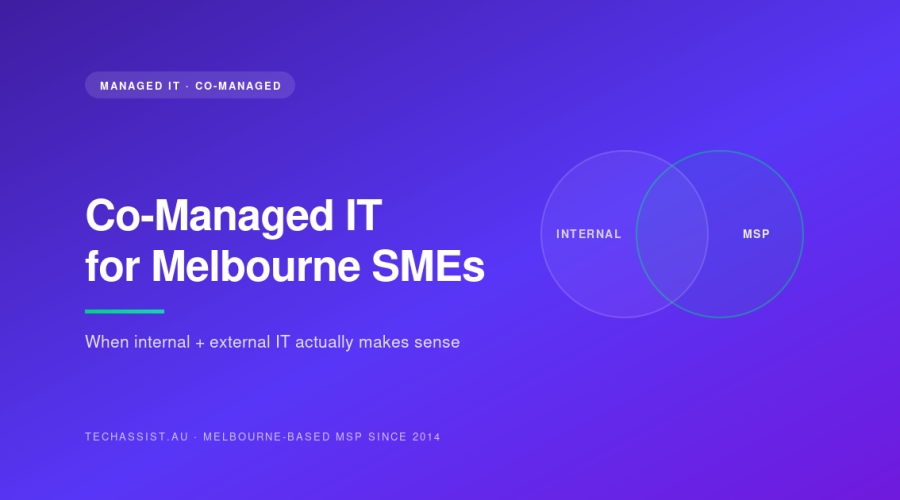
Co-managed IT means you keep your internal IT person or small team, and you bring in an MSP to handle specific parts of the stack alongside them. The internal team isn’t replaced. The MSP isn’t a back-up they call when things break. Both parties work on the environment continuously, with clearly divided responsibilities.
What it isn’t: an MSP that your internal IT person escalates tickets to when they’re stuck. That’s “ad hoc support,” and it’s a fine model, but it’s not co-managed. The difference is ownership. In a proper co-managed setup, the MSP owns whole categories of work outright: they don’t wait to be asked.
It also isn’t a stepping stone. Some businesses use co-managed as a polite way to phase out an internal IT person they don’t want to fire directly. That tends to end badly for everyone. If you want to fully outsource, look at fully managed IT services and have a direct conversation with your IT hire about what’s happening. Don’t drag an MSP in to do the awkward part.
When co-managed actually makes sense
Here are the specific triggers we see in Melbourne SMEs that point to co-managed being the right call. Not “you might consider this if”, actual triggers that move the needle.
You’re between 50 and 300 staff with one or two IT people
This is the sweet spot. Below 50 staff, you generally don’t need internal IT at all, a properly run MSP handles everything. Above 300 staff, you usually need a real internal team (3+ people) with proper specialisation, and the MSP role shifts toward niche work or project capacity. The 50-to-300 band is where one or two internal people simply can’t cover the surface area, no matter how good they are.
Your IT person is doing user support all day and infrastructure work never gets done
Classic. A construction firm in Hawthorn rang us last year: 110 staff, one IT manager, lovely bloke. He was answering 30+ tickets a day, mostly Outlook and printer issues. He hadn’t patched the Hyper-V hosts in four months. The backup hadn’t been test-restored since 2024. He knew it was a problem; he just couldn’t get to it. That’s not a competence issue, it’s a capacity issue. Co-managed fixed it: he stayed on user-facing work and projects, we took backups, patching, monitoring, security and after-hours.
You need 24/7 coverage but can’t justify a second IT hire
Paying a second internal engineer $110k+ to cover nights and weekends, when most nights nothing happens, is hard to justify. An MSP with a proper NOC with 24/7 on-call and emergency support (ours runs out of Tecoma in the Dandenongs) spreads that cost across many clients. You get genuine after-hours coverage for less than half what a second hire costs.
You’ve got compliance pressure you can’t meet alone
Law firms, healthcare practices, businesses chasing ISO 27001 or working with government, the security and compliance workload is genuinely too much for one person to do well alongside everything else. Co-managed lets the internal person focus on the business while the MSP runs the security operations, patching cadence, vulnerability management and audit prep.
Your IT person is good but lonely
This one is underrated. A single IT person in a 90-staff business has no peers, no one to bounce decisions off, no one to cover holidays properly. We’ve had internal IT people tell us, quietly, that the best part of co-managed is having actual colleagues again. They ring our engineers to discuss a tricky migration the way they would have rung a workmate at their last bigger employer. Retention goes up.
When co-managed does NOT make sense
Equally important. Don’t sign up for co-managed if:
- You have fewer than 30 staff. The overhead of coordinating two teams isn’t worth it. Just go fully managed.
- Your internal IT person is openly hostile to the idea. We’ll come back to this. Forcing it never works.
- You’re trying to save money by reducing the MSP scope. Co-managed is usually cost-neutral or slightly more expensive than full management at the same staff count. If budget is the only driver, you’ll be disappointed.
- You don’t have a clear reason your internal IT person should exist. “We’ve always had one” isn’t a reason. If the role exists out of habit, fix that first.
- Your internal IT person is the business owner’s nephew. Sorry. This always ends badly. The political dynamics are unworkable.
The operational split that actually works
This is the most important section. Get the split right and co-managed sings. Get it wrong and you’ll have two teams pointing at each other when things break.
The split we use with most Melbourne SMEs:
| Responsibility | Internal IT | MSP (TechAssist) |
|---|---|---|
| Day-to-day user support (tickets, walk-ups) | Primary | Overflow only |
| New starter onboarding / offboarding | Primary | Documentation and automation |
| Internal projects (office moves, app rollouts) | Primary | Specialist input |
| Vendor management (line-of-business apps) | Primary | Hands off |
| Server / network / firewall infrastructure | Hands off | Primary |
| Backups and DR testing | Hands off | Primary |
| Patching (servers, network, endpoints) | Hands off | Primary |
| Security operations (EDR, monitoring, response) | Hands off | Primary |
| After-hours and on-call | Hands off | Primary (NOC with 24/7 on-call and emergency support) |
| Strategy and budgeting | Joint | Joint |
| Documentation | Joint: both update | Joint: both update |
Notice how few items are “joint.” That’s deliberate. Strategy and documentation have to be shared because they touch everything, but for any specific task someone is named as the owner. The MSP doesn’t wait to be asked to patch the firewall: patching the firewall is theirs. The internal person doesn’t escalate Outlook tickets to us: those are theirs.
The reason this works is that it eliminates the “who’s doing this?” question. When the backup fails at 2am, our NOC engineer at Tecoma sees the alert and starts working it. They don’t ring the internal IT manager first. When a user can’t print, the internal IT person handles it. They don’t open a ticket with us first.
The operational split that fails
The model we see fail most often is “everyone shares everything.” It sounds collaborative. It’s a disaster.
| Symptom of a bad split | What actually happens |
|---|---|
| “Both teams monitor the servers” | Nobody monitors them. Each assumes the other is on it. |
| “We share the ticket queue” | Hard tickets bounce between teams for days. Easy ones get done twice. |
| “Backups are a joint responsibility” | Backups silently fail for months until someone needs a restore. |
| “We co-own security” | An alert fires. Both teams see it. Both assume the other will action it. Neither does. |
If you can’t draw a clear line through every operational responsibility and put one name on each side, the co-managed setup will rot within six months. Diffused ownership is worse than no ownership, because everyone thinks the work is being done.
The political problem nobody warns you about
This is the section your prospective MSP probably won’t write for you. We’ll be blunt about it because we’ve seen it kill engagements that should have worked.
When you bring an MSP in alongside an existing internal IT person, that person will feel, at minimum, uncertain about their job, and at worst, openly threatened. It doesn’t matter how many times you tell them otherwise. They’ve seen “co-managed” used as a phase-out tactic at other companies. They’ve heard the rumours. They will, consciously or otherwise, look for ways to demonstrate that the MSP is unnecessary.
What this looks like in practice:
- The internal IT person doesn’t share documentation, passwords or context with the MSP. “Oh, I’ll handle that one.” It happens for weeks.
- When the MSP recommends a change, the internal IT person finds reasons it won’t work in this specific environment.
- User complaints about the MSP, real or fabricated, get passed up to leadership without the MSP being told.
- The internal IT person quietly does work that’s the MSP’s responsibility, then mentions to leadership that they had to “fix it themselves.”
- Critical alerts get acknowledged by the internal person and not actioned, so the MSP looks slow.
This isn’t villainy. It’s a human response to feeling threatened. But it will absolutely destroy a co-managed engagement, and we’ve walked away from clients where leadership wouldn’t address it.
How to actually fix the political problem
A few things that work, in our experience:
- Involve the internal IT person in selecting the MSP. If they were part of the decision, they own it. If it was imposed on them, they’ll resent it. Have them on the calls. Take their objections seriously.
- Be explicit about job security in writing. If their role is safe, put it in writing. If it isn’t, don’t pretend otherwise, be honest about what co-managed means for the role over 12 to 24 months.
- Give the internal person the more interesting work. They keep projects, strategy, user-facing wins. The MSP gets the unglamorous 2am patching and the security paperwork. They should feel like co-managed made their job better, not smaller.
- Don’t have the MSP report on the internal person. The MSP reports on the environment. Leadership manages the internal person. Mixing those creates a snitch dynamic that poisons everything.
- Pay attention to whether the internal person is actually engaging. If three months in they still won’t add the MSP to the documentation system, that’s a signal. Have the conversation.
Pricing: how co-managed compares
Honest pricing conversation. Co-managed isn’t cheaper than fully managed in most cases. Sometimes it’s slightly more, because you’re paying for the internal person AND the MSP, and the MSP scope only shrinks a bit (we still own the infrastructure, security, after-hours and tooling, that’s the bulk of the cost anyway).
| Model | Typical monthly cost (100-staff Melbourne SME) | What you get |
|---|---|---|
| Internal IT only (1 person) | $10 to 12k salary + on-costs | One person, business hours, single point of failure |
| Fully managed (MSP only) | $12 to 18k per-user fixed | Full coverage, 24/7, no internal headcount |
| Co-managed (internal + MSP) | $18 to 24k combined | Internal user-facing + MSP infrastructure + 24/7 + redundancy |
| Ad hoc / break-fix + internal | Variable, often $15k+ in a bad month | Unpredictable, reactive, no real ownership |
The reason businesses pay the premium for co-managed isn’t cost savings: it’s capability and resilience. You get an IT function that doesn’t collapse when your one IT hire takes leave or resigns. You get genuine 24/7 coverage. You get specialists for things one generalist can’t keep up with (security, networking, cloud architecture). And you keep someone on site who knows the business intimately.
Our co-managed pricing follows the same per-user fixed monthly model as our fully managed service, we just adjust scope based on what the internal team owns. Full pricing transparency is on our pricing and SLA page, including the 15-minute average response for critical incidents.
A real example: a logistics business in Dandenong
To make this concrete. A logistics business in Dandenong came to us in 2023 to 140 staff across the warehouse and office, two internal IT people (a manager and a junior), running on a mix of on-prem servers, Microsoft 365, and a Warehouse Management System integrated with their TMS. Trucks moving 24/7. Tight margins.
The problem: the IT manager was burnt out. He was on-call 24/7, the junior was answering tickets all day, and any time something serious went wrong with the WMS overnight, the IT manager was woken up. He’d been there nine years. He was about to resign.
What we changed:
- Took over all infrastructure, network, security, backup and patching. Internal team handed over root credentials, joined our documentation system, and stopped doing infrastructure work entirely.
- Picked up 24/7 on-call. Our NOC at Tecoma handles all after-hours alerts and the first response on overnight WMS issues. They escalate to the IT manager only if it’s genuinely something only he can fix: which, with proper documentation and runbooks, is now maybe once a month instead of three times a week.
- The junior kept ticket queue, user onboarding, hardware refreshes, and got time to actually develop skills.
- The IT manager moved to strategy, vendor management, project work (a big WMS upgrade) and proper holidays.
Two years in, the IT manager is still there. The junior has been promoted. The business hasn’t had an after-hours outage that wasn’t resolved within the SLA. The IT manager rings us when he wants a second opinion on something, and our engineers ring him when they need warehouse context. It works.
What made it work: the IT manager was part of the decision. The scope was clear. Leadership didn’t ask us to report on him, and didn’t ask him to report on us. We solved a capacity and resilience problem, not a competence problem.
How to evaluate whether you’re ready
Quick self-assessment. If you answer yes to three or more, co-managed is worth exploring properly:
- Do you have one or two internal IT people supporting more than 50 staff?
- Has critical infrastructure work (patching, backup testing, security review) slipped in the last 6 months?
- Is your internal IT person on call 24/7 with no real backup?
- Have you had an outage in the last year where the response was slower than it should have been because the right person wasn’t available?
- Is your internal IT person also expected to handle strategic projects, but never seems to get to them?
- Are you worried about what happens if your IT person resigns tomorrow?
- Do you have compliance pressure (ISO, Essential Eight, sector-specific) that’s not being properly addressed?
If you said no to most of these and things are running smoothly, don’t fix what isn’t broken. If you said yes to most, you’re already paying the cost of an unsustainable IT setup: it’s just hidden in burnt-out staff, deferred work, and risk that hasn’t materialised yet.
What to ask a prospective MSP about co-managed
If you’re talking to MSPs about co-managed IT, here are the questions that actually surface whether they know what they’re doing. Most won’t.
- How do you handle the relationship with the internal IT person, specifically? If they don’t have a clear answer involving early involvement and explicit scope, they’ve never properly done this.
- What does the responsibility split look like, written down? They should be able to show you something close to the table above. If it’s vague, walk away.
- How do you escalate when our internal IT person isn’t available? Co-managed only works if the MSP can act independently in defined areas. If everything has to route through the internal person, you don’t have co-managed, you have a slow help desk.
- What happens if our internal IT person leaves? A good MSP can absorb the full scope within 30 days. If they say “we’d need to re-scope significantly,” they don’t have the depth.
- Where’s your after-hours coverage actually based? “Offshore partner” usually means a slow, scripted response. We run our NOC out of Tecoma with 13 Melbourne-employed staff. Different model, different result.
If you’d like to read more on our broader service approach, see managed IT services in Melbourne and our dedicated co-managed IT support page for how we structure these engagements. The IT support overview covers what day-to-day support looks like across both models.
Common failure modes: a checklist
If you do go co-managed, watch for these. Any of them showing up in the first six months means the engagement needs a reset conversation, not a quiet drift into dysfunction.
- Documentation in two places, neither complete.
- The internal IT person hasn’t logged into the MSP’s ticketing or documentation system in 30+ days.
- The MSP is asking the same access questions repeatedly because credentials aren’t being shared.
- Tickets are being closed by one team that the other team should have owned.
- Leadership is getting different stories from the two teams about the same incident.
- Either team is doing work outside their scope without telling the other.
- The internal IT person has stopped attending the monthly review meeting.
- Alerts are firing but nobody’s acknowledging them within SLA.
None of these are fatal individually. All of them are signals. Fix them when they’re small.
Frequently asked questions
Is co-managed IT cheaper than hiring a second internal IT person?
Almost always, yes, at least for the first 12 to 24 months. A second internal hire is $110k+ in salary plus on-costs, recruitment, equipment and ramp-up time, and you still don’t get true 24/7 cover from one extra person. Co-managed gets you specialist coverage, after-hours, and redundancy for less. Past a certain headcount (usually 250+) the maths shifts and a second internal hire becomes worth it alongside the MSP.
Will our internal IT person resent us bringing in an MSP?
Possibly, especially if they weren’t involved in the decision. The fix is to bring them in early, be honest about the scope, and make sure the work they keep is the work they actually enjoy. We’ve had internal IT people who initially resisted become the biggest advocates within six months, but only because leadership handled the introduction well.
What if our internal IT person resigns after we sign up?
A well-structured co-managed engagement can absorb the full scope within 30 days, because the MSP already owns the infrastructure, security, after-hours and documentation. You’d lose user-facing support and project capacity temporarily, but you wouldn’t have a crisis. That continuity is one of the main reasons businesses go co-managed in the first place.
How quickly can co-managed be set up?
Discovery and scoping takes about two weeks for a typical 100-staff Melbourne SME. Transition: getting the MSP onto the environment, documentation done, monitoring deployed, runbooks written, takes another 30 to 45 days. Most clients are running steady-state within 8 to 10 weeks of signing.
Do you require us to use specific tools?
For things we own (RMM, EDR, backup, monitoring, ticketing), yes, we run a consistent stack so our engineers can move fast across clients without constantly relearning environments. For things the business owns (line-of-business apps, productivity suites, internal tools), the internal team keeps choosing those.
Where to from here
Co-managed IT is the right answer for a real chunk of Melbourne SMEs in the 50-to-300 staff range, and the wrong answer for plenty of others. The difference comes down to the operational split, the politics, and whether the internal IT person is bought in. Tooling matters far less than most MSPs will admit.
If you’ve got an internal IT person and you’re wondering whether co-managed makes sense for your business, have a chat with us. We’ll tell you honestly whether it’s the right fit, including the cases where it isn’t and you’d be better off with fully managed or staying as you are. You can reach us via the contact page or on 1300 028 324. No sales pressure, no obligation, just a straight conversation about your setup.