The ‘just one more year’ laptop is the most expensive computer in your business. Once you account for warranty cost, ticket volume, productivity drag, and the security exposure of out-of-support hardware, the five-year-old machine in accounts is costing more than a new one would. Real numbers and a clean decision tree follow.
The honest TCO of a business laptop
Most SMEs assess endpoint refresh by looking at the purchase price. That is the wrong number. The right number is total cost of ownership across the working life of the device, which for a business laptop includes hardware acquisition, extended warranty, helpdesk tickets attributable to the device, productivity loss from slowness or failure, and the security risk premium of running unsupported software.
Across a managed endpoint fleet the pattern is consistent. A Dell Latitude 5450 or Lenovo ThinkPad T14 purchased today at around $2,200 with a 3-year ProSupport or Premier warranty will deliver, on average:
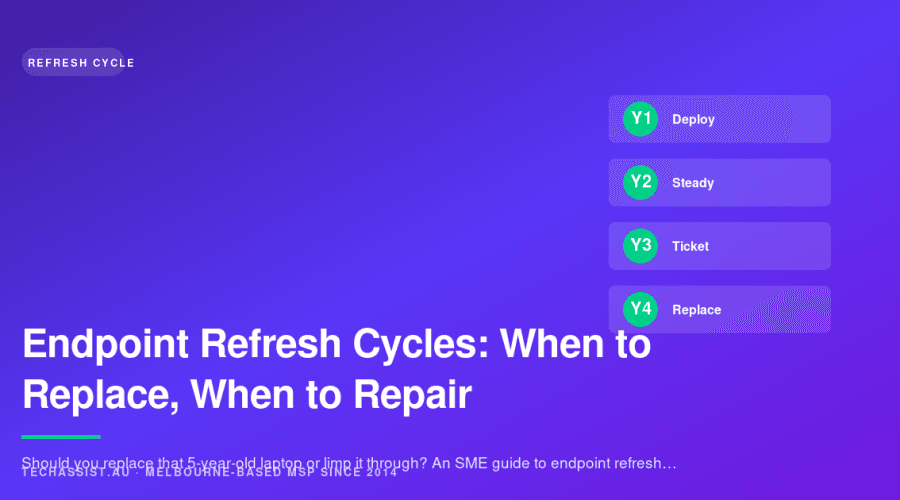
- Year 1: 0.8 tickets per device, mostly setup and configuration issues
- Year 2: 1.4 tickets per device, mostly software and minor performance issues
- Year 3: 2.1 tickets per device, with the first hardware failures appearing
- Year 4: 3.6 tickets per device, often a battery or SSD swap, plus rising ‘this thing is slow’ complaints
- Year 5: 5.8 tickets per device, mostly performance complaints and software compatibility issues
At an average internal cost of $85 per ticket (including the user’s time, not just the helpdesk’s), a year-5 device is costing about $493 in support, plus the productivity hit from a user who is fighting their machine instead of doing their job. That productivity hit is the largest hidden cost, and it is what most SMEs miss when they decide to extend an endpoint refresh cycle.
Windows 11 changes the calculation
Until 2024, the SME endpoint refresh debate was mostly a productivity and support cost conversation. From October 2025, when Windows 10 reached end of support, the conversation became a hard security question. Microsoft will not issue free security patches for Windows 10 after that date. Extended Security Updates (ESU) for SMEs are available but priced to discourage them: USD $61 per device for year one, doubling each year for up to three years, on top of your existing licence costs.
The Windows 11 hardware requirement is the bigger issue. TPM 2.0, Secure Boot, and a compatible CPU are required. Most laptops sold before mid-2018 cannot run Windows 11 at all. Many laptops sold between 2018 and 2020 can technically run it but lag on performance. If you have devices in your fleet older than five years, the choice is no longer ‘replace or repair’, it is ‘replace, pay ESU, or accept the risk of unpatched endpoints’.
For Essential Eight alignment, running out-of-support operating systems fails the Patch Operating Systems control immediately. If you have any aspiration toward cybersecurity maturity or working with clients who require it, this is non-negotiable.
The replace-vs-repair decision tree
For every device in your fleet, the decision tree is:
- Is the device Windows 11 compatible? If no, replace. The exceptions are devices that will be repurposed for a non-Windows use case (signage, kiosks, dedicated Linux workstations).
- Is the device under warranty? If yes, repair through warranty for hardware failures. If no, move to step 3.
- Is the device older than 4 years? If yes, replace rather than repair almost any hardware failure.
- What is the failure? Battery and SSD swaps are usually repair-economic up to year 4. Motherboard, screen, or keyboard failures past warranty are almost always replace-economic.
- Is the user a heavy use case? Developers, designers, video editors, and finance staff running large models tend to outgrow consumer-grade machines faster. For these users, lean toward earlier replacement.
The single most important question is the first one. Windows 11 compatibility is binary. There is no halfway. A device that cannot run Windows 11 is on borrowed time and every month of extension increases your security exposure.
The 3-year vs 4-year cycle debate
For years, the standard SME refresh cycle was 4 years, often stretched to 5. The recent move by most progressive MSPs has been toward 3 years, and the reasoning is worth understanding.
The case for a 3-year cycle
- Manufacturer warranties typically cover 3 years out of the box (extending to 4 or 5 adds noticeable cost)
- Tickets jump significantly from year 3 to year 4 (1.4 to 3.6 in our data)
- Resale value at 3 years is meaningfully higher than at 4, especially for ThinkPad and Latitude business lines
- Battery degradation past 36 months affects user productivity even when the device is technically working
- Operating system and software requirements creep upward; a 3-year-old device is current, a 5-year-old device is fighting Teams
The case for a 4-year cycle
- Higher capital cost per year averaged out, but lower total spend if devices truly are healthy at year 4
- Light-use users (front-of-house, occasional office users) often genuinely do not need a refresh at year 3
- Lease structures often align to 36 or 48 month terms; 48 spreads the cost more
Our recommendation
Run a 3-year cycle for heavy users and a 4-year cycle for light users, with the cohort defined explicitly during procurement, not retrospectively. Mixed cycles within a fleet are fine as long as the policy is documented and the lifecycle dates are tracked.
Lease vs buy in a high-AUD or volatile-AUD environment
The AUD has been volatile against the USD through 2025 and into 2026, and hardware pricing reflects it. Dell, Lenovo, and HP price in USD and adjust Australian list prices on a delayed basis. For an SME refreshing 30+ endpoints, the lease vs buy decision needs revisiting.
| Factor | Buy outright | Lease (DOA, equipment finance) | Hardware-as-a-Service (HaaS) |
|---|---|---|---|
| Year-1 cash impact | Full capital outlay | Monthly payment | Monthly payment, often bundled with support |
| Tax treatment | Depreciation over effective life | Operating lease often fully deductible | Operating expense, fully deductible |
| Refresh discipline | Often deferred past optimal cycle | Enforced at lease end | Enforced at refresh date |
| Asset disposal | Business problem | Returned to financier | Managed by provider |
| Best fit | Cash-rich, low staff growth | Predictable growth, capex-averse | Fast growth, low IT bandwidth |
The instant asset writeoff has changed several times over the last few years and remains a moving target through the 2026 federal budget cycle. As at writing, the current rules support certain small business write-offs, but the thresholds and the eligible business turnover bands change frequently. Talk to your accountant before committing to an EOFY hardware purchase based on a write-off assumption.
For an illustrative 28-staff accounting firm, moving from a buy-and-stretch model (5-year average device age) to a leased 3-year cycle can realistically cut year-on-year IT support cost by around a fifth and remove the year-4 productivity drag entirely. The lease cost was higher in nominal monthly terms than the depreciation on the previous model, but the total cost was lower once support and productivity were included.
The ‘one device class, one image’ policy
One of the highest-leverage decisions an SME can make about endpoints has nothing to do with the refresh cycle. It is the decision to standardise on one device class with one operating system image.
What standardisation actually means
One business laptop SKU for everybody who needs a laptop (with a workstation-class SKU for the heavy users who genuinely need it). One desktop SKU for fixed-desk roles. One Windows 11 image, one set of pre-installed applications, one configuration baseline managed through Intune or your MDM of choice.
Why it matters
- Bulk pricing improves significantly when you buy 10 of one SKU instead of 2 each of five SKUs
- Spares and loaners are interchangeable, so a broken device can be swapped in 15 minutes
- Driver and firmware management becomes a single workflow instead of five
- Support tickets resolve faster because the helpdesk has seen this exact configuration a hundred times
- Security baselines are testable across the entire fleet
Moving a mixed fleet (Dell, Lenovo, HP, a few MacBooks) to a single SKU with one image typically cuts endpoint ticket volume by a quarter to a third in the first year. Not because the hardware was better, but because the standardisation killed an entire class of compatibility and driver problems.
Standardisation is also what makes fast P1 response possible. When a director’s laptop dies on the way to a board meeting, an identically configured loaner can go out from our Tecoma or Bourke Street CBD office, and a same-business-day on-site swap is achievable across Melbourne metro. None of that works if the fleet is heterogeneous.
The EOFY tax timing question
The Australian financial year boundary at 30 June makes endpoint refresh a tax-timing question every year. Should you bring forward purchases to claim depreciation or instant asset write-offs in the current FY? Should you defer to spread cost?
The current state of instant asset write-off
The instant asset write-off has been a moving target since the original $20,000 limit was raised, extended, contracted, and reset multiple times through COVID-era stimulus and subsequent budgets. As at the 2025-26 financial year, the threshold and eligibility rules sit at a different level than they did during the peak stimulus period. Do not rely on this post for current numbers; check with your accountant in the month you are planning to purchase.
The strategic question
Tax timing should be a tiebreaker, not a driver. If you genuinely need to refresh devices, the right time is when the devices need refreshing. Bringing forward a purchase by two months to capture a write-off can be smart. Deferring a needed refresh by six months to align with FY26 is almost never smart, because the support cost and productivity drag of the extra six months exceeds the tax benefit.
Bulk timing
For businesses on a 3-year cycle, batching refreshes once a year (typically May or June, into the new FY) is administratively cleaner than rolling refreshes throughout the year. Procurement is a single negotiation, deployment is a single project, and the depreciation schedule is clean. The downside is that a year-1 cohort all ages out together, but in practice the cohort approach also makes succession planning easier.
What to do with the old devices
Endpoint refresh is not finished until the old devices are properly disposed. Three options, with very different risk profiles.
Resale
Through a refurbisher or platform like Grays. Requires certified data destruction before transfer. Acceptable for devices in good condition with no sensitive role history. Capture the resale value against the new device cost.
Donation
To schools, charities, or community programs. Still requires certified data destruction. Generates goodwill and sometimes a tax deduction. The administrative overhead is non-trivial.
Certified destruction
For devices that held sensitive data, devices that failed, or devices with no resale value. Use a certified e-waste processor with a documented chain of custody. For businesses pursuing ISO 27001 capability or aligned to the Essential Eight, this is the only defensible disposal path for devices that handled regulated data.
For healthcare and legal practices in particular, the data on a returned laptop is the same data that triggered the Privacy Act compliance work. Treat disposal as a data security event, not an asset disposal event. Our healthcare IT practice and legal IT practice both build certified destruction into the refresh workflow as standard.
Putting it all together
A working endpoint refresh policy for a typical Melbourne SME looks like this:
- 3-year cycle for knowledge workers, 4-year cycle for light users, documented at procurement
- One device class (e.g. Lenovo ThinkPad T-series or Dell Latitude 5000-series) for all standard knowledge workers
- One workstation-class SKU (e.g. ThinkPad P-series or Latitude 7000-series) for heavy users
- Windows 11 Pro, one image, managed through Intune
- 3-year manufacturer warranty (ProSupport or Premier) bundled at purchase
- Annual batch refresh, typically May or June
- Lease structure for businesses with predictable growth or capex sensitivity
- Certified destruction or platform resale at end of life, with documented chain of custody
This is the kind of policy that lives inside a managed IT services arrangement with per-user fixed monthly pricing, because the MSP carries the refresh planning, the procurement leverage, and the deployment execution. For businesses that prefer to keep procurement in-house, the policy still works; you just need to run it yourselves.
Frequently Asked Questions
How do we handle devices for staff who travel constantly?
Heavy travellers are heavy users by definition; their devices take more wear, drop damage, and battery cycles. Move travellers to the 3-year cohort regardless of seniority, and consider upgrading to a workstation-class device with a longer battery and a heavier-duty chassis. The TCO maths almost always favours the more expensive device for users who live out of a bag.
What about Macs?
Macs have a different lifecycle pattern. Hardware tends to last longer (battery and SSD are the main issues), but macOS support tails off after about 7 years and Apple does not offer extended security updates the way Microsoft does. For Mac-using teams, a 4-year refresh cycle is realistic, and the resale value at 4 years is typically strong enough to materially offset the next purchase.
Are refurbished devices a viable option?
For light-use roles, yes. Certified refurbished business-class devices from a reputable refurbisher with warranty can be a sensible choice for 5% to 15% of a typical fleet, particularly for casual users or temporary staff. We do not recommend refurbs for knowledge workers, finance, or any role that lives on the device 8 hours a day.
What is the policy on bring-your-own-device?
BYOD has security and support cost implications that almost always exceed the savings. For staff who genuinely need it (contractors, casual freelancers, board members), use a managed app model on personal devices with Intune App Protection or similar. For employees, issue a managed device. The exception is mobile phones, where BYOD with corporate app containerisation is the more common pattern.
How does this fit with the rest of our IT strategy?
Endpoint refresh policy is one of the foundational decisions that sits underneath cybersecurity, productivity, and IT support cost. A coherent policy makes everything else easier. An incoherent policy or no policy makes everything else harder. If you are evaluating an MSP, ask them what their default endpoint policy looks like and how they enforce it. The answer tells you a lot about how they run their other operations.
Can we just keep extending the warranty?
Most major manufacturers will extend warranty by 1 or 2 years past the original 3-year term, but the cost ramps quickly and the warranty does not cover battery, productivity, or the security exposure of older hardware. For most SMEs, extending warranty past year 4 is more expensive than refreshing the device. If you want a deeper conversation about the right policy for your business, get in touch; this is the kind of question we work through with clients in onboarding.