This guide is for the owner, general manager, finance manager or IT manager of a Melbourne business with 30 to 150 staff and one to three internal IT people, who is deciding whether to bring in an outside provider alongside that team and, if so, how to buy it well. If you want the case for and against co-managed IT, read when internal plus external makes sense. If you want to know what it costs, read co-managed IT pricing for Australian SMEs. This piece covers the part in between: what to buy, how to scope it, what to ask, and what to check in the contract.
The three-question readiness test
Most co-managed arrangements that fail do not fail on price or on technical skill. They fail because nobody wrote down who owns what. So before you request a single quote, answer these three questions in one sentence each:
- Who owns the helpdesk? When a staff member cannot print, who do they call first, and who closes the ticket?
- Who owns patching, backups and security monitoring? Who is accountable if a server goes unpatched for 60 days, and who checks the backup actually restored?
- Who gets the 2am call? When a P1 incident lands outside hours, whose phone rings, and who has the authority to act?
If any of those three answers is “both of us”, you are buying a dispute, not a service. Settle the split first, then go to market. The split can change at the first quarterly review, but on day one it must be written down and agreed by your internal IT lead, not just by management.
Step 1: Decide what you are actually buying
“Co-managed IT” covers five quite different purchases. Providers will happily quote all five, so be clear which ones you need. Most businesses in the 30 to 150 staff band need two or three, not all of them.
| What you are buying | What the provider does | What your internal team keeps | Typical trigger |
|---|---|---|---|
| Helpdesk overflow | Tier 1 and 2 user support, ticket triage, a service desk with defined response targets | Escalations, business applications, on-site presence, relationships with staff | Your IT manager spends most of the day on password resets and printer tickets |
| Infrastructure and security backstop | Patching, backup monitoring and test restores, endpoint protection, Microsoft 365 security configuration | Helpdesk, projects, vendor management | Security work keeps getting skipped because user support always comes first |
| After-hours and NOC | 24/7 monitoring, alert response and an on-call engineer outside business hours | Everything during business hours | Your one IT person has become permanently on call and is burning out |
| Projects and senior skills | Migrations, network redesigns, Intune or Entra ID rollouts, a virtual CIO for planning | Business as usual | Projects have been “next quarter” for over a year |
| Compliance and reporting | Essential Eight maturity work, cyber insurance questionnaires, audit evidence, policy documentation | Day to day operations | An insurer, a client or a regulator has asked for evidence you cannot produce |
Write your two or three down. That list becomes the scope section of every quote you ask for, and it is how you compare providers like for like. If you are not sure which ones apply, the eight signs your internal team is past capacity maps symptoms to each purchase.
Step 2: Write the split before you ask for quotes
A one-page responsibility matrix is the single most useful document in a co-managed engagement. It does not need to be formal. For each of the following, record who is Responsible (does the work) and who is Accountable (answers for the outcome): tier 1 tickets, tier 2 tickets, escalations, patching, backups and restores, endpoint security, identity and access, network, business applications, procurement, documentation, after-hours incidents, projects, vendor relationships, and reporting to management.
Three rules make the matrix work in practice:
- One Accountable party per line. Never two.
- Your internal team should hold the lines closest to the business: applications, staff relationships, on-site work and anything that needs knowledge of how the company actually runs.
- The provider should hold the lines that need tooling, scale or hours you cannot staff: monitoring, patching, after-hours and security configuration.
Have your internal IT lead draft the matrix. Co-managed works when the internal person becomes the client of the provider, not its subordinate.
Step 3: Ten questions to ask every provider
Ask the same ten questions of every provider you shortlist and write the answers down. Vague answers to the first four are disqualifying.
- How many co-managed clients do you have today, and can we speak to one whose internal IT lead is still in the role?
- Will your engineers meet our internal IT person before you quote? A provider that quotes without meeting the team it will work alongside is guessing.
- Who owns the documentation you create for us, and in what format do we get it if we leave?
- Which tools do you require us to run, who holds the licences, and what happens to the data in them at exit?
- What does “response time” mean in your agreement: time to acknowledge, time to start work, or time to fix? Our guide to IT support response times and SLAs explains why the distinction matters.
- How do you handle a ticket that sits between our scope and yours? Who decides, and how fast?
- What admin access will you hold in our Microsoft 365 tenant and network, how is it logged, and how do we revoke it?
- Can our internal team see your ticketing system and monitoring dashboards, or only reports?
- What is your onboarding method, week by week, and what do you need from us? Compare the answer with the first 30 days of co-managed IT.
- If our internal IT person resigns, how does the arrangement change and what does it cost? The 90-day risk window explains why this question matters more than it sounds.
Step 4: Six contract terms to read closely
Co-managed agreements are usually adapted from a provider’s fully managed template. That template assumes the provider owns everything, which is exactly what you are not buying. Check these six terms.
1. Scope and the responsibility matrix
The matrix from Step 2 should be attached to the agreement as a schedule, not referenced in an email. Anything not on it is out of scope and billable, so make sure it is complete.
2. Tooling and licence ownership
Remote monitoring agents, endpoint protection and backup platforms are often licensed in the provider’s name. That is normal, but the agreement should state what is yours, what is theirs, and how your data is exported if the relationship ends.
3. Documentation ownership
Every runbook, network diagram, credential record and asset list created during the engagement should be yours, held in a system you can access, and handed over in a usable format at exit. See what a proper IT documentation set looks like for the minimum you should expect.
4. Service level definitions
Look for separate definitions of response and resolution, a priority matrix (P1 to P4) with business impact described in plain language, and a statement of what happens when a target is missed. A target with no consequence is a marketing claim.
5. Term, seat changes and exit
Check the minimum term, how user counts are adjusted up and down, the notice period, and what exit assistance is included. A reasonable provider will help you leave. Our switching MSPs playbook sets out what a clean exit involves.
6. Administrative access and logging
The agreement should state that the provider’s admin accounts are named, individually assigned, protected by multi-factor authentication and logged, and that you can revoke them. Shared admin accounts run against the Essential Eight strategy of restricting administrative privileges, and the risk doubles when two teams share a tenant.
Red flags
- The provider talks about “taking over” or “replacing” your IT function during a co-managed sales conversation.
- They will not meet your internal IT person before quoting.
- The quote is a single per-user number with no scope schedule attached.
- Your team cannot get access to the ticketing system or monitoring console.
- Documentation lives only in the provider’s systems.
- After-hours cover is described as “best efforts” with no roster or escalation tree.
- The agreement has no exit or handover clause.
How to compare quotes fairly
Quotes for the same business can vary widely, and most of the variance is scope rather than margin. Put each quote into a table with the five purchases from Step 1 as rows and mark which are included, which are optional extras and which are excluded. Then compare the hours of cover, the security tooling included, the onboarding fee, and the exit terms. Only then compare the monthly figure. A cheaper quote that excludes after-hours cover and backup testing is not cheaper; it has moved those costs to your internal team. Co-managed IT pricing for Australian SMEs goes through what moves the per-user number and what cheap usually means in practice.
Timeline: from decision to steady state
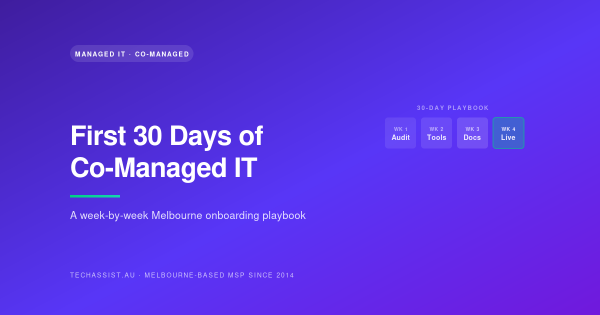
Allow four to six weeks from signing a decision to running a shortlist, and expect the first 30 days after signing to be onboarding rather than service. A realistic sequence is:
- Week 1 to 2: internal team drafts the responsibility matrix and the list of purchases.
- Week 2 to 4: shortlist two or three providers, run the ten questions, take references.
- Week 4 to 6: contract review against the six terms, then sign.
- Days 1 to 30 after signing: discovery, tooling rollout, runbooks and a shakedown, as set out in the first 30 days playbook.
- Day 90: first formal review of the matrix. Move lines between the teams based on what actually happened, not what was planned.
Frequently asked questions
Is co-managed IT the right model if we have no internal IT at all?
No. Co-managed assumes there is an internal person to share the work with. With no internal IT, you are choosing between fully managed IT and hiring. Co-managed vs managed vs internal IT compares the three.
Should our internal IT manager run the procurement?
They should draft the scope and the responsibility matrix and sit in every provider meeting. Management should own the commercial decision. Cutting the IT lead out of the process is the most common reason a co-managed engagement is quietly undermined in its first year.
How long should the contract be?
Long enough for the provider to recover its onboarding cost and for you to see a full quarterly cycle, and short enough that you are not trapped if it does not work. Ask for a defined exit path regardless of term. Our 10-point MSP renewal checklist is a useful review tool at each anniversary.
Can we start with one purchase and add others later?
Yes, and it is often the better approach. After-hours cover or an infrastructure backstop is a contained first step. Add helpdesk overflow or project work once the matrix has survived a quarter.
Where to from here
TechAssist provides co-managed IT support to Melbourne businesses with internal IT teams, with a 24/7 helpdesk, a 15-minute average response, same-business-day on-site across Melbourne metro, and 13 Melbourne-employed staff including Microsoft, Google, 3CX, Yealink, Cisco and Ubiquiti certified engineers. If you have drafted your responsibility matrix and want a second opinion on the split before you go to market, send it through. We will tell you where the gaps are whether or not you buy from us.